DroidDeck
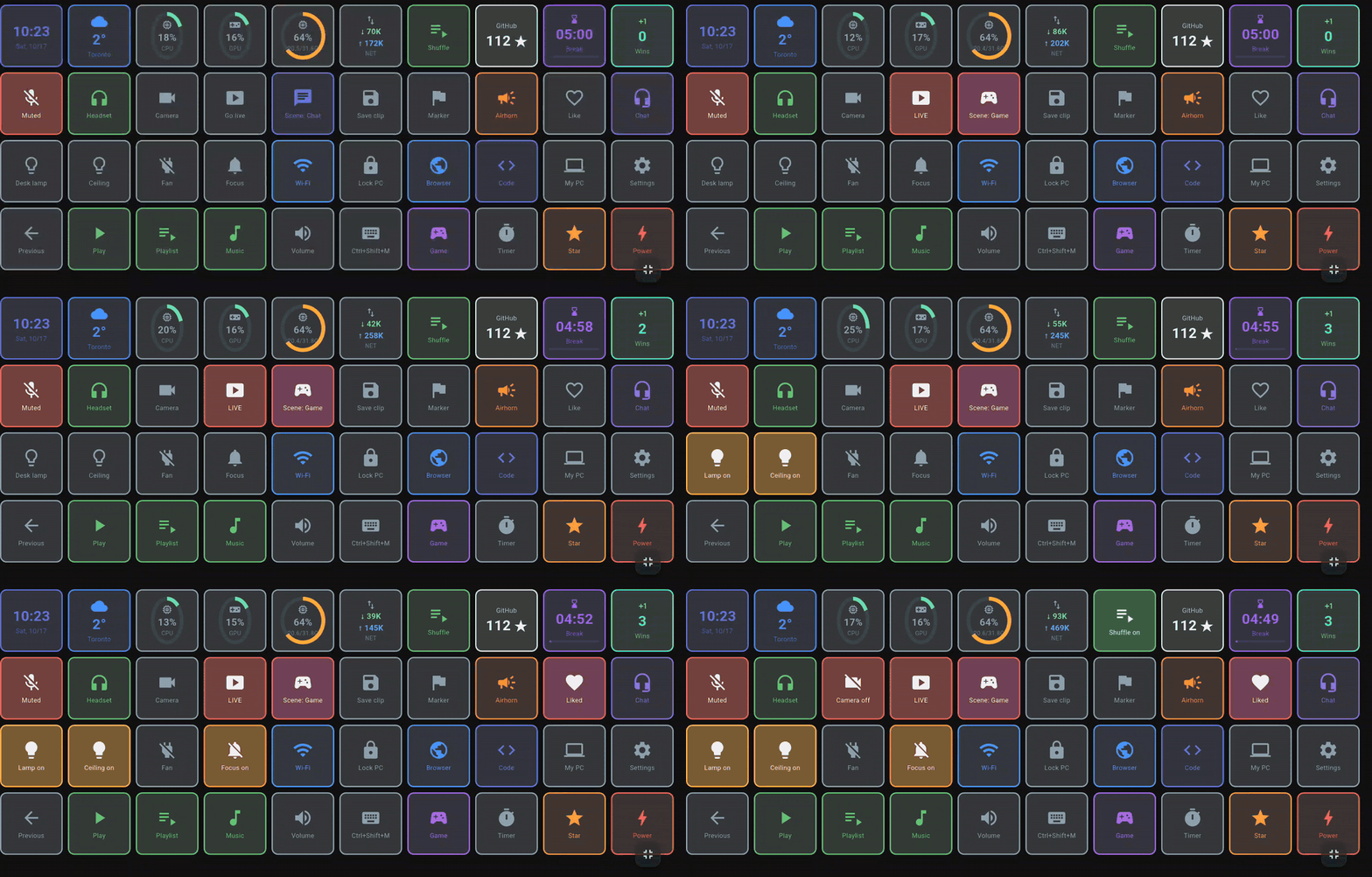
DroidDeck turns an Android phone into a Stream Deck for your Windows PC. Set up a grid of buttons on your phone that fire shortcuts, open apps, control audio and media, drive Discord and OBS, play sounds and switch your smart lights. The PC side is a small tray app; the phone talks to it over your local network.
You need both parts:
1. Windows app 2. Android app Installation guide
Looking for the Steam-on-Android app?
That is a different project that shares the name: Droid-Deck/DroidDeck. This DroidDeck is a button deck that controls a Windows PC.
What you can do
-
Run things on the PC
Key combinations, programs, files and URLs, PowerShell/Python/
.batscripts, webhooks, Steam games, and Windows itself: default audio device, lock, sleep, screen off. Buttons & actions · Multi-action -
Audio and media
Play/pause and skip whatever Windows is playing, mute apps, volume sliders, Spotify with the album cover, Voicemeeter, and a MyInstants soundboard into your mic. Mixer & media · Soundboard
-
Streaming
Discord voice and soundboard, OBS scenes, recording and streaming with live state, Twitch and YouTube markers, clips, polls and chat, Streamer.bot and VTube Studio. Discord · OBS
-
Lights and smart home
Tuya / Smart Life, Home Assistant, Philips Hue, Elgato Key Light, Govee and MQTT: toggles, dimmers and colours, with the real state on the button. Tuya · Home Assistant
-
Live information
CPU, GPU, RAM and network gauges, clock, weather, now playing, Windows notifications, AI usage, sliders, timers and pomodoro, two-state toggles, big buttons and animated GIF icons. Monitors & info · Appearance
-
Profiles and automation
Folders, long-press and double-tap, switching by the focused app, automations, Stream Deck import, sharing by link or QR, and the deck in any browser or over USB. Profiles · Automations
How it works
flowchart LR
  phone["Android phone<br/>(Wi-Fi)"] -- "REST + SignalR<br/>port 4787" --> pc["DroidDeck on Windows<br/>(tray app)"]
  usb["Android phone<br/>(USB cable)"] -- "adb reverse<br/>127.0.0.1:4787" --> pc
  web["iPhone, iPad, another PC<br/>(deck in the browser)"] -- "http://PC IP:4787" --> pc
  config["Browser on the PC<br/>(configurator)"] -- "localhost:4787" --> pc
  pc --> win["Windows: keys, apps,<br/>audio, media"]
pc --> ext["Discord · OBS · Spotify<br/>lights · MyInstants"]- DroidDeck for Windows runs in the system tray and serves an API, the web configurator and the
browser deck on port
4787. - The Android app pairs once by scanning a QR code, then shows your buttons full screen, over Wi-Fi or a USB cable.
- The configurator runs in the PC's browser: drag buttons around, pick actions, colours and icons. Changes appear on the phone immediately.
Requirements
- Windows 10 version 1809 or later (64-bit). No .NET installation needed.
- Android 7.0 or later. Or, through the browser, an iPhone, iPad or any device with a modern browser.
- Phone and PC on the same local network, or an Android phone on a USB cable.
Language
The app follows the phone's language (English, Portuguese or Spanish); you can change it under Settings → Appearance → Language. This documentation is in English and Portuguese (use the language selector at the top); there is no Spanish version yet.